

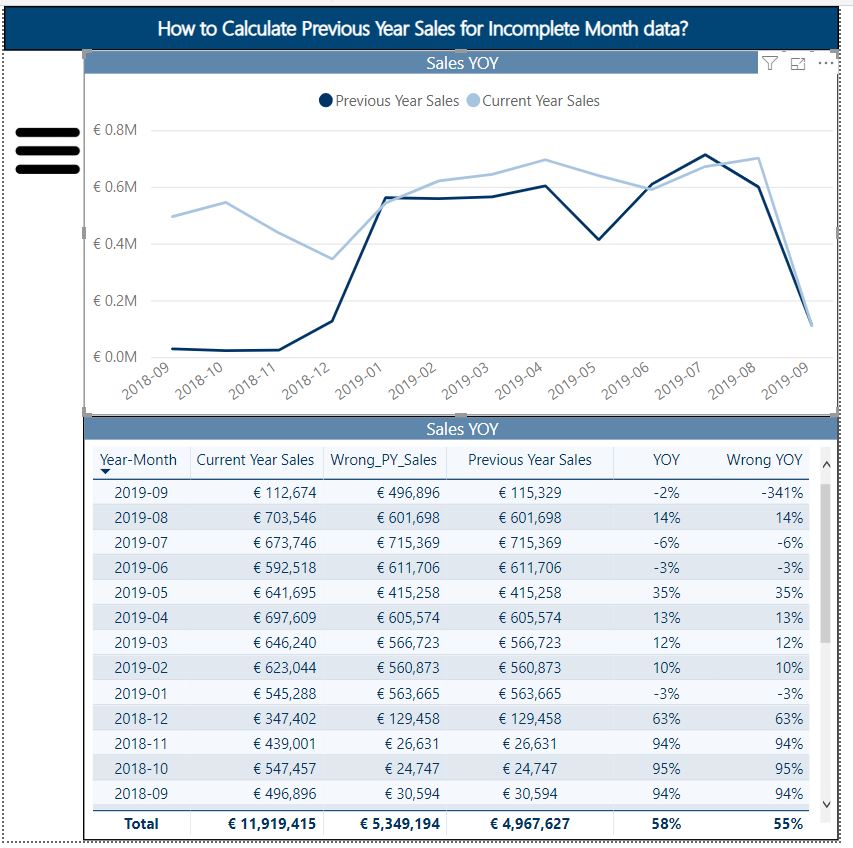
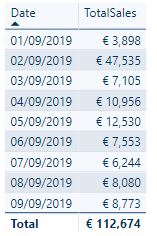
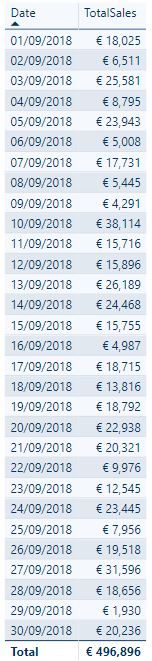
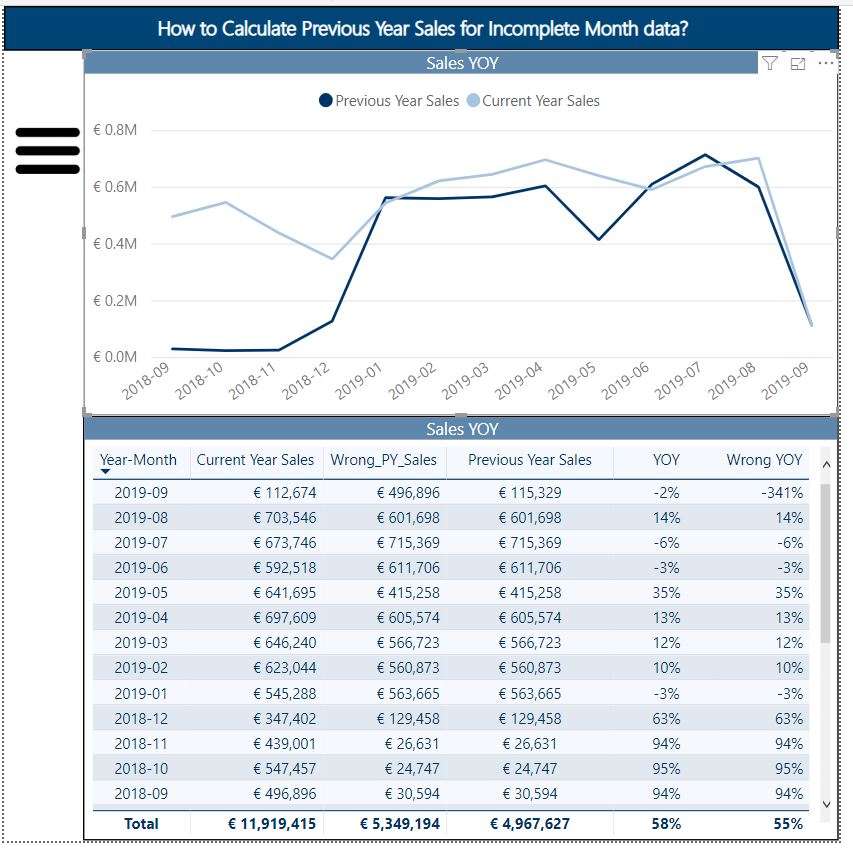
A very common situation when you don’t have full month data to calculate YOY ( Year-on-year), MOM( Month-on-month). You will end up with comparing incomplete month with full month data for the previous year. A simple way to compare current year sales with previous year is to use SAMEPERIODLASTYEAR() functions in DAX. But this will give incorrect grand total as SAMEPERIODLASTYEAR() will compare full previous month sales to current month partial sales data.

Wrong_PY_Sales =
VAR PreviousRange = SAMEPERIODLASTYEAR(Dates[Date])
RETURN
CALCULATE(
   SUM(data[Sales]),
    PreviousRange
)
PY_Sales =
VAR LDate =EDATE(CALCULATE(MAX(Dates[Date]),ALL(Dates)),-12)
VAR PreviousRange = SAMEPERIODLASTYEAR(Dates[Date])
RETURN
CALCULATE(
   SUM(data[Sales]),
    FILTER(PreviousRange,Dates[Date]<=LDate)
)

 Reckon Analytics