

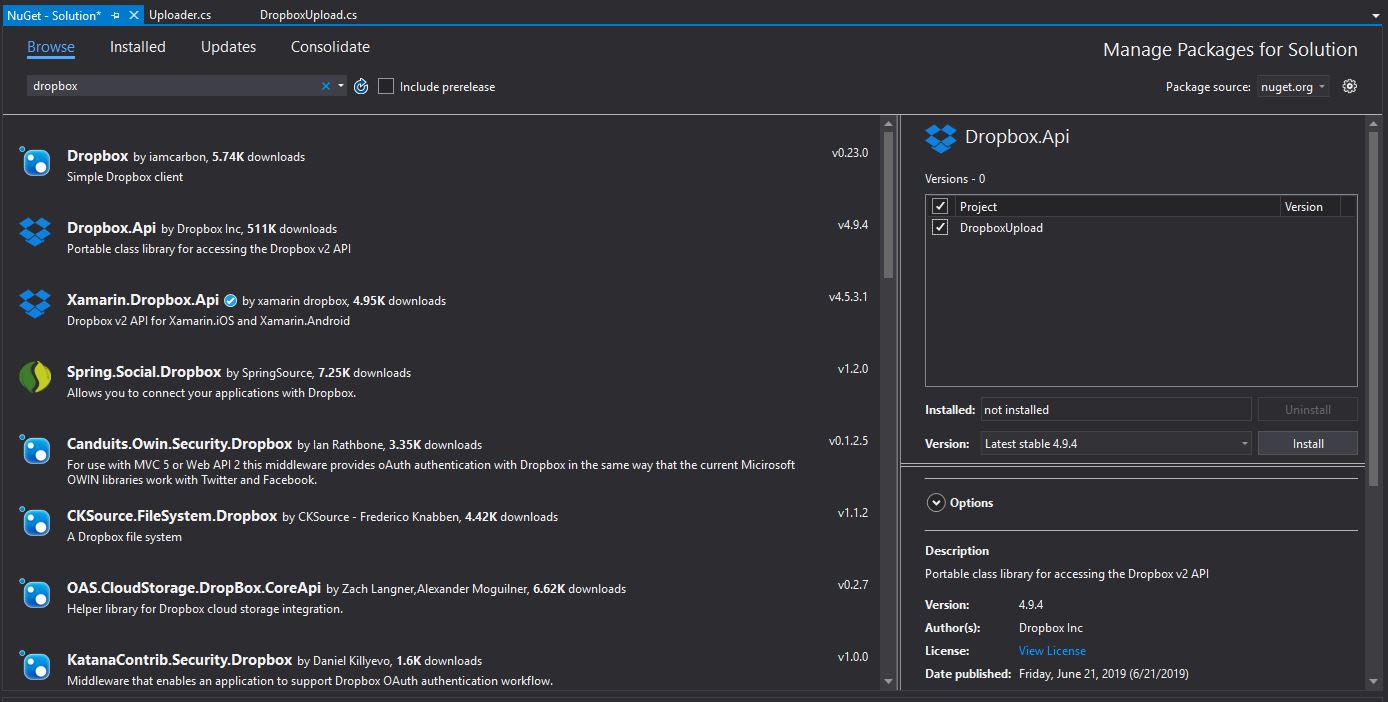
Install Dropbox.api package using NuGet package manager in Visual Studio

This code won’t work standable. You need to integrate it with your existing project just like an API to use dropbox file uploader in C#.
using Dropbox.Api;
using Dropbox.Api.Files;
using System;
using System.IO;
using System.IO.Compression;
using System.Linq;

namespace Dropbox.Functions
{
    class DropboxUploader
    {

        static string reportName;
        static string filePath;
        static readonly int IsCompressed = 1; //Set Flag = 1 to unzip file
        public static void UploadToDropbox(Stream file, string DropboxFolderPath, string DropboxKey)       {


            reportName = "ReportName.csv";
            filePath = DropboxFolderPath + reportName;  //Replace with your filename
            using (var client = new DropboxClient(DropboxKey))
            {
                using (var stream = IsFileCompressedCheck(file))
                {
                    var resp = client.Files.UploadAsync(filePath, WriteMode.Overwrite.Instance, body: stream).Result;
                }
            }
            Console.WriteLine($"Saved to {filePath}\n\n");
        }

        private static Stream IsFileCompressedCheck(Stream file)
        {
            if (IsCompressed == 1)
            {
                file = UnZip(file);
            }

            return file;
        }

        private static Stream UnZip(Stream file)
        {
            using (ZipArchive archive = new ZipArchive(file, ZipArchiveMode.Read))
            {
                ZipArchiveEntry entry = archive.Entries.FirstOrDefault();
                using (StreamReader reader = new StreamReader(entry.Open()))
                {
                    MemoryStream stream = new MemoryStream();
                    StreamWriter writer = new StreamWriter(stream);
                    writer.Write(reader.ReadToEnd());
                    writer.Flush();
                    stream.Position = 0;
                    file = stream;
                    reportName = entry.Name;
                    Console.WriteLine(entry.Name);
                }
            }

            return file;
        }
    }

}
Make a call to above code:
using System;
using Dropbox.Functions;

namespace DropboxUpload
{
    class Program
    {
        static void Main(string[] args)
        {
            //Change parameter <filestream>, <DropboxPath>, <DropboxKey>
            DropboxUploader.UploadToDropbox(<filestream>, <DropboxPath>, <DropboxKey>);

        }
    }

}
 Reckon Analytics